Post Loads Directly to Truckstop from Flow
We're excited to announce that Flow now integrates directly with Truckstop. Brokers can post loads to one of the industry's largest load boards without ever leaving the Flow platform. No more using multiple spreadsheets to manage loads.
Why this matters
A broker's day shouldn't be spent bouncing between five different tabs. Quoting in one tool, posting in another, tracking in a third, billing in a fourth. Every handoff between systems is a chance for something to slip.
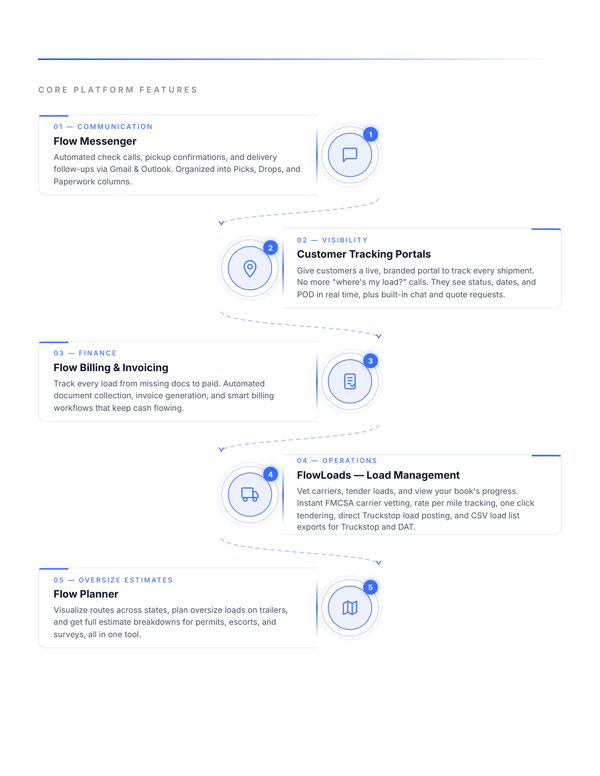
With the Truckstop integration, Flow becomes the single place where your entire workflow happens. Quote a customer, build the load, post it to Truckstop, book the carrier, dispatch, track, and invoice, all from the same screen. The load you created in Flow this morning is the same record you're invoicing against next week, with every status change and document attached along the way.
One system. One source of truth. One login to start your day.
How to post a load
Getting a load onto Truckstop through Flow takes just a few steps:
- Connect your Truckstop account. Head to Live Loads and click on the Truckstop icon. Enter your Truckstop credentials and you're set.
- Create your load. From your Live Loads screen, click Add Load and fill in the standard details: origin, destination, pickup and delivery dates, equipment type, weight, commodity, and your rate.
- Post to Truckstop. After saving, click on the load and then click Post to Truckstop.
Manage everything in one place
Once posted, you can edit, repost, or remove the load directly from Flow. Any update you make, whether a rate change, a new pickup window, or a status change, syncs back to Truckstop automatically. When the load books, simply mark it covered in Flow and the Truckstop listing comes down on its own.
Ready to try it?
The Truckstop integration is available now to all Flow users with an existing Truckstop account. Log in, connect your account, and post your next load in under a minute.
Questions? Reach out to our support team. We're here to help you move more freight, faster.